How to Create a Readme in Your Project
A README is a short document attached to your project. You can use it to explain what your project does, give instructions for using it, document your code, and credit the people and resources that helped you. Some competitions, like the Innovation Games, require a README.
Instructions
-
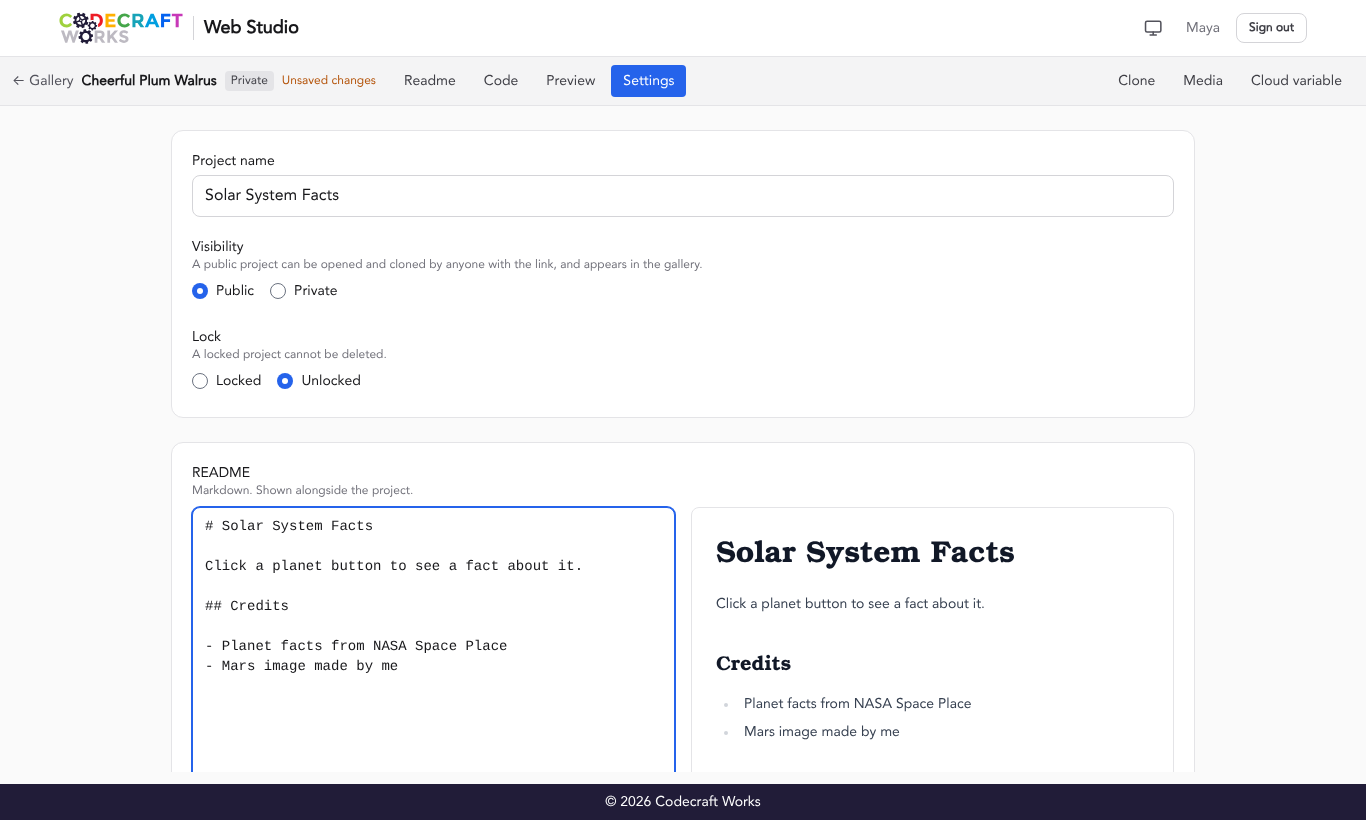
Open your web project in Web Studio ⎋ and select the Settings toggle in the toolbar.
-
Find the README box. It accepts standard Markdown ⎋, a simple way to add headings, lists, links, and bold or italic text. As you type in the box on the left, a preview of your formatted README appears on the right.
-
Select Save settings.
-
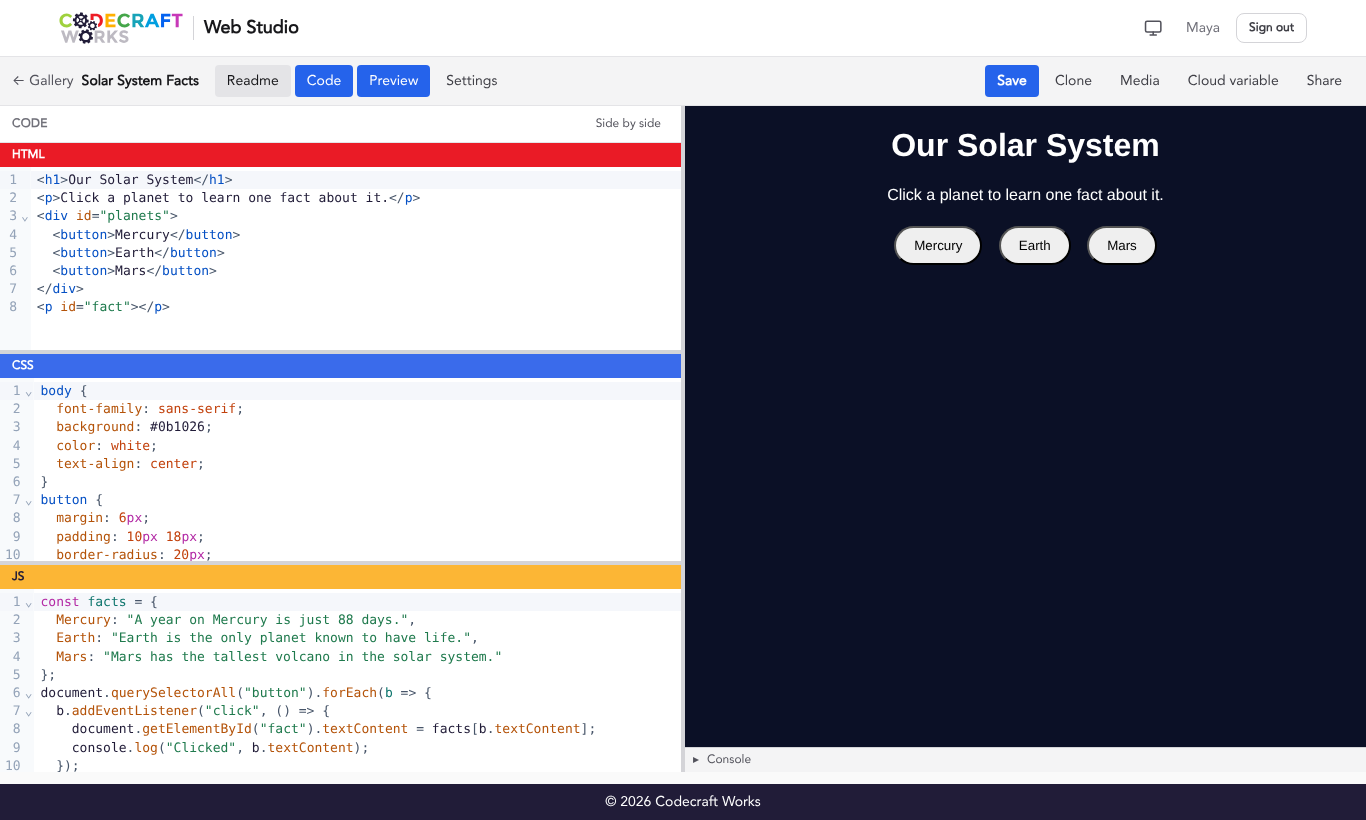
To see your README next to your code, select the Readme toggle in the toolbar. Anyone who opens your project will see the README there, and it opens automatically for projects that have one.
Markdown Examples
| Type this | To get | Example |
|---|---|---|
# My Project | A large heading | My Project |
## Credits | A smaller heading | Credits |
- Planet facts from NASA | A bulleted list item | • Planet facts from NASA |
**important** | Bold text | important |
*emphasis* | Italic text | emphasis |
[NASA](https://www.nasa.gov) | A link | NASA ⎋ |
Here is an example of how Markdown in your README translates to the preview.
Markdown
# My Project

## Credits

- Planet facts from NASA
- Photos from Unsplash

This is **important** and this is *emphasis*.

Learn more at [NASA](https://www.nasa.gov).
Preview
- Planet facts from NASA
- Photos from Unsplash
This is important and this is emphasis.
Learn more at NASA.
What to Include
- What your project is and what it does.
- How to use it, like which buttons to press or keys to use.
- Credits for any images, sounds, code, or ideas that you did not create yourself.
- If you used AI tools, which ones and how you used them.
Keep in mind that when someone clones your project, they get a copy of your README. Updating the README in the original project will not update the README in the copy.
Related articles
- How to Create a New Web Project
- How to Add Media to Web Projects
- How to Clone a Web Project
- Web Studio Editor Reference