Lesson Management System (LMS)
LMS Features
Codecraft Works’ Learning Management System (LMS) provides access to a variety of computer science courses, which are made up of written lesson material, project prompts, and finished project examples.
A list of offered courses can be found at app.codecraftworks.com/courses.
Course Organization
Courses are collections of technical, themed curriculum lessons, which are made up of related topics. A program, refers the unique collection participants and material and typically includes how (in-person, online, or hybrid), when (dates, and time if live online), and what (one or more courses).
When students are added to programs, they are granted access to any included courses 24/7, for the duration of the program.
Progress Tracking
When a student starts a course, a progress bar will display how much course material the student has completed.

Progress bars will also display for each lesson in the course.

These progress bars update when students click the “Mark Complete” button at the end of a topic. This allows students to keep track of which topics they have already read and which topics they have yet to read. This also gives students a more visual depiction of their progress through a course.
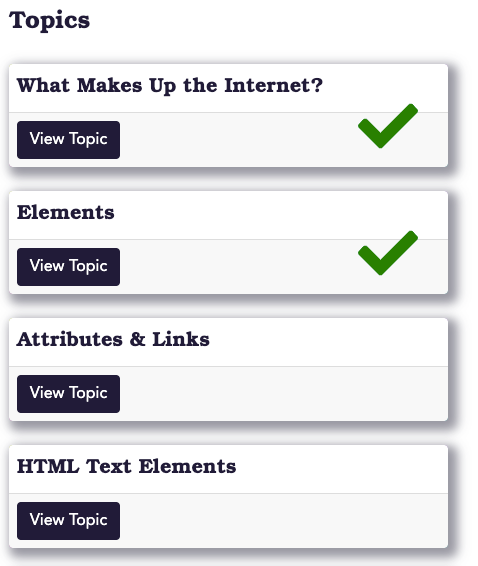
When a topic is marked complete, it will be denoted with a green check mark on the lesson overview page.